
Introduction and quick overview
Hostinger continues to be a popular option for budget-conscious website owners in 2025. It focuses on delivering fast page loads, straightforward setup, and a set of bundled tools that reduce the initial overhead of getting a site online. LiteSpeed web servers, a custom control panel called hPanel, and free SSL certificates and domains on many plans are central selling points.
The service is aimed primarily at people launching personal blogs, portfolios, small business websites, and basic e-commerce stores. For those use cases it usually offers excellent value. There are, however, trade-offs: best pricing often requires multi-year commitments, backups and priority support are limited on the lowest tiers, and very high-traffic or resource-intensive projects will likely need a move to VPS or cloud hosting.
Short summary: good speed, low cost, easy to use, but not tailored for large enterprise sites.
What makes Hostinger stand out in 2025
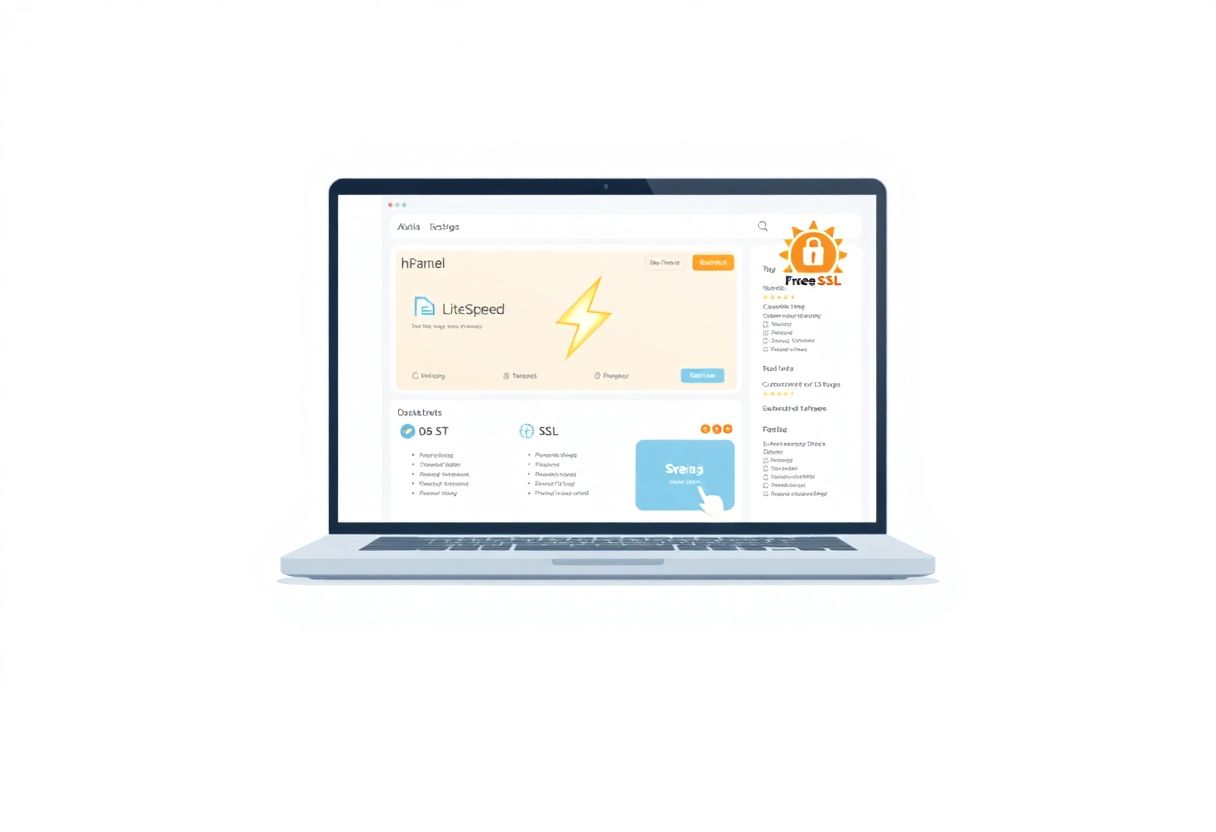
One of the most visible technical advantages Hostinger promotes is the use of LiteSpeed server technology across shared hosting. LiteSpeed excels at serving PHP-based sites quickly and can outperform older Apache setups in concurrent request handling. Combined with optimized caching and tuned stacks, many sites demonstrate strong frontend responsiveness.
Beyond raw speed, Hostinger leans heavily on product simplicity. hPanel replaces cPanel, offering a cleaner interface for newcomers and streamlined workflows for common tasks: installing CMSs, managing files, setting up emails, and configuring DNS records. That simplicity lowers the learning curve for people who have limited hosting experience.
There is also a clear focus on packaging. Many plans come with at least one year of a free domain registration and free SSL. Security features such as basic malware scanning and DDoS protection are present across plans, which reduces the need for immediate third-party security purchases for small projects.
Lastly, the price-to-feature ratio matters. For small sites with constrained budgets, Hostinger’s feature set tends to be competitive when compared with other low-cost shared hosts.
Pricing and plans
Introductory offers and renewal pricing
Hostinger’s marketing model relies on attractive introductory rates. The headline prices you see are typically promotional, valid for the initial subscription period. Renewal prices are higher and should be expected to increase at the end of the term. To secure the lowest monthly cost, many users opt for multi-year plans.
That model is common among budget hosts: a low entry price, followed by a higher renewal. Anyone evaluating Hostinger should calculate the total cost over their intended hosting period, not simply the initial fee.
Short-term projects may find the promotional prices worth it. Long-term projects must factor future renewals into their budgets.
Free domain and SSL inclusions
Several Hostinger plans include a free domain for the first year. This is convenient for new sites and can shave a small amount from initial outlay. Free SSL certificates are included on most plans as well, making HTTPS activation simple and immediate.
Keep in mind that domain renewal fees apply after the first year. The domain offers typically cover standard top-level domains; some country-code or premium TLDs may be excluded or carry additional fees.
Comparing entry level and higher tiers
Entry-level shared plans are intentionally limited to keep costs low. They generally support a single website, include modest storage and bandwidth, and offer essential features like SSL and basic backups only on higher tiers. Mid- and upper-tier shared plans increase storage, CPU quotas, and concurrent connections while adding automated backups, faster performance, or priority support.
If you expect traffic growth, choose a mid-tier plan that allows more simultaneous visitors and includes automated backups. For businesses that rely on uptime and consistent performance, the higher tiers are worth the incremental cost.
Short paragraph.
Choose based on current needs and short-term growth projections.
Performance and infrastructure
LiteSpeed servers and real world speed
LiteSpeed drives much of Hostinger’s speed claims. In practical site tests, LiteSpeed often yields faster first-byte times and lower latency for PHP workloads than traditional Apache stacks. Cache modules and built-in page caching available on many plans further reduce load times for repeat visitors.
Real-world performance depends on how the site is built. Well-optimized content, efficient themes, and proper image handling are still essential. LiteSpeed makes performance easier to achieve, but it does not remove the need for sound development and caching practices.
Resource allocation and limits for shared plans
Shared plans come with defined CPU and memory allocations and limits on concurrent processes. Those limits prevent noisy neighbors from monopolizing server resources, but they also cap how much traffic a single site can handle under heavy load. Small blogs and brochure sites rarely approach these ceilings, but rapidly growing sites can.
Traffic spikes from marketing campaigns or viral content may trigger throttling or temporary outages on lower tiers. Monitoring resource usage and setting realistic expectations are important for maintaining uptime on shared hosting.
When performance requires VPS or cloud upgrades
For sustained high traffic, complex applications, or large e-commerce platforms, a VPS or cloud instance is typically necessary. VPS plans provide dedicated CPU and memory resources, root access, and greater configuration freedom. Cloud hosting platforms add horizontal scalability and higher SLAs for reliability.
Plan to upgrade when you regularly consume most of the shared plan’s allocated resources, experience frequent slowdowns during peak hours, or require advanced server-level configurations that hPanel does not permit.
Control panel and usability
Hpanel features and one click installers
hPanel is Hostinger’s custom control panel and a key part of the user experience. It simplifies common tasks such as domain management, email setup, database management, and one-click installers for WordPress, Joomla, and other popular CMSs. The interface places common actions within easy reach, which is helpful for users without prior hosting knowledge.
One-click installers reduce setup friction for newcomers, allowing them to launch a site with minimal technical steps. Backups, staging environments (on certain plans), and SSL toggles are also integrated into hPanel.
Common usability issues and perceived lag
While hPanel is clean and functional, some users report occasional responsiveness issues. Under heavy internal load or during maintenance windows, the control panel can feel sluggish. Delays in task execution—such as file uploads or database actions—have been noted by a subset of users.
These hiccups generally do not affect the live site performance directly, but they can frustrate administrators performing frequent changes. If you manage many sites or require rapid administrative tasks, consider this factor.
Short paragraph.
Expect a mostly smooth experience with occasional lag.
Features security and backups
Free SSL malware scanning and DDoS protection
Hostinger includes free SSL certificates on most plans, enabling HTTPS with minimal effort. Basic security features such as malware scanning and DDoS protection are part of the offering and help reduce the immediate need for additional security services for simple websites.
The level of protection is adequate for typical small sites. More sophisticated security requirements—custom WAF rules, advanced incident response, or compliance-driven controls—will need third-party solutions or higher-tier managed services.
Automated backups by plan and backup limitations on low tiers
Automated backups are available but vary by plan. Mid- and upper-level plans tend to include daily or weekly automated backups, with retention windows that cover several restore points. Entry-level plans may offer backups only as an add-on or provide very limited retention.
If data safety is critical, evaluate the backup retention policy carefully. For e-commerce stores or content-heavy sites, ensure you can access recent backups easily and consider maintaining off-site copies in addition to the host’s backups.
Short paragraph.
Backups are present, but the depth depends on plan level.
Support and reliability
Chat and email support experience
Hostinger’s support model centers on live chat and email ticketing. Many users find the chat agents knowledgeable and quick for routine troubleshooting: account configuration, DNS propagation, basic WordPress issues, and billing questions are commonly handled well.
The knowledge base is extensive and contains guides that walk through common setups. For non-urgent problems or configuration questions, self-service documentation often resolves issues without direct contact.
Phone support absence and impact on critical sites
Hostinger does not offer phone-based support. For mission-critical sites that require immediate voice-based escalation, this can be a drawback. When a site is down due to a complex server-level problem, the absence of phone support lengthens the time to escalate for some users.
For businesses for whom downtime results in measurable revenue loss, consider whether the available support channels meet your operational needs before committing.
Limitations and scenarios to avoid
Why Hostinger may not suit large-scale e-commerce or high traffic sites
High-traffic websites, large marketplaces, and platforms with transaction-heavy workloads often require consistent resource availability and the ability to scale quickly. Shared hosting plans are not designed for that degree of demand. Limitations in CPU, memory, and concurrent process handling can produce slowdowns or unexpected throttling under sustained load.
Large e-commerce operations also frequently demand advanced security, compliance features, and custom server-level tuning. Those needs push sites toward VPS, cloud, or managed WordPress providers with enterprise-grade SLAs.
Long term contract commitment and cost considerations
The most attractive prices require committing for one to four years. That model reduces initial costs but locks you into a provider for extended periods if you want to keep the low rate. If you later decide to migrate, you must consider potential transfer costs and the effort involved.
Budget planning should include renewal pricing, domain renewal fees after the free year, and any paid add-ons you anticipate needing. For some users, paying a slightly higher price month-to-month elsewhere may provide greater flexibility.
Who should choose Hostinger?
Beginner bloggers and portfolio sites
For individuals launching their first blog or online portfolio, Hostinger offers a low-risk entry point. The combination of one-click installers, a friendly control panel, and bundled SSL/domains reduces the technical hurdles that often slow initial launches.
Short paragraph.
It’s an efficient onramp for people learning web management.
Small businesses and budget-conscious users
Small businesses on limited budgets can benefit from the low cost and performance Hostinger delivers for standard brochure sites and basic online stores. When budgets are tight, getting reliable hosting with automatic updates and basic security for a modest fee allows owners to focus on content and sales instead of infrastructure.
For businesses with modest traffic and limited technical staff, Hostinger provides a pragmatic balance of features and price.
How to choose the right Hostinger plan
Estimating traffic and resource needs
Start by estimating typical monthly visitors, average page size, and concurrent user expectations. Use recent analytics data when migrating an existing site. If you expect sudden spikes—seasonal promotions or marketing campaigns—factor in additional headroom.
Select a plan with buffer room above your current usage rather than stretching the lowest tier to the limit. This reduces the chance of throttling and gives room to grow without immediate migration.
Backup and support checklist
Before purchasing, verify backup frequency and retention for the plan you intend to use. Confirm whether you can trigger manual restores and how quickly the process executes. Also, review support hours and response expectations for your chosen tier.
Checklist item examples:
– Backup frequency and retention period
– Ability to download backups off-site
– Support channels available at purchase tier
– Expected response times for critical issues
When to plan a migration to VPS or cloud
Plan a migration when you consistently exceed allocated resources, face recurrent slowdowns, need custom server configurations, or must meet stricter uptime guarantees. Also move when your site’s revenue or business impact justifies the increased cost and operational complexity of VPS or cloud hosting.
Migration planning should include data backup, DNS TTL adjustments for cutover, and staging verification to minimize downtime.
Alternatives to consider for larger projects
VPS and managed cloud options to evaluate
For larger projects, consider VPS providers like DigitalOcean, Linode, or Vultr, where you control server resources and scaling. Managed cloud platforms such as Cloudways, RunCloud, or managed WordPress hosts provide a balance by handling server management while offering scalable infrastructure.
Enterprise-grade managed hosts (WP Engine, Kinsta) specialize in performance and developer tooling for high-traffic and resource-intensive sites. Those platforms typically include more advanced caching, developer workflows, backups with longer retention, and staging environments tailored to complex needs.
Hosts to consider if phone support or enterprise SLAs are required
If phone support or guaranteed response SLAs are a priority, research hosts that explicitly advertise 24/7 phone lines and enterprise-level contracts. Traditional managed service providers or larger hosting companies often provide these options. Evaluate SLA terms carefully—uptime guarantees, credit policies, and escalation paths matter to businesses that cannot tolerate extended outages.
Short paragraph.
Choose a provider aligned with operational and support requirements.
Final recommendation and practical next steps
Summary of pros and cons
Pros:
– Competitive pricing for entry-level sites.
– Fast performance thanks to LiteSpeed-driven stacks.
– User-friendly hPanel and one-click installers.
– Free SSL and often a free domain for the first year.
– Security basics included, with malware scanning and DDoS mitigation.
Cons:
– Best prices require multi-year commitments.
– Automated backups are limited on lower tiers.
– Support is chat and email only; no phone escalation.
– hPanel can feel sluggish at times.
– Not ideal for large-scale e-commerce or sustained high traffic without upgrading.
Actionable checklist for deciding whether to buy
1. Define your site type and expected monthly visitors.
2. Compare introductory and renewal pricing for the plan you want.
3. Confirm backup frequency and retention on that plan.
4. Verify whether a free domain and SSL are included and for how long.
5. Consider support requirements—chat-only support may be limiting for some businesses.
6. Choose a plan with headroom for anticipated growth.
7. If expecting rapid growth, prepare an upgrade plan to VPS or cloud.
8. Keep a migration window in mind and test restores before going live.
Short closing note.
Hostinger is a strong choice for small sites and those seeking low-cost, fast hosting. If your needs grow, budget and technical requirements will likely point toward VPS, managed cloud, or enterprise-focused providers.